About Screen Mirroring for TV
With Screen Mirroring - Play mobile on TV you can transfer your smartphone screen to your TV screen in real time. You can view all media such as photos, music, videos and mobile games on your TV. Important before 1st use:...
With Screen Mirroring - Play mobile on TV you can transfer your smartphone screen to your TV screen in real time. You can view all media such as photos, music, videos and mobile games on your TV.
Important before 1st use:
1. Your TV must support Miracast.
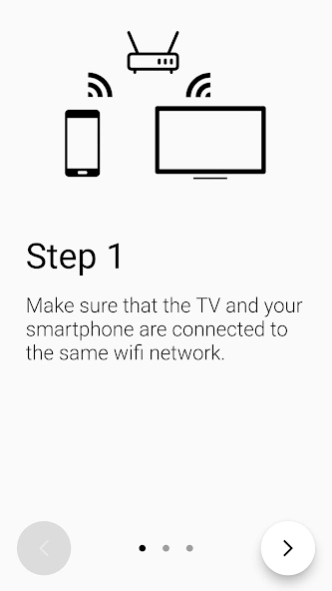
2. Your cell phone and TV must be connected to the same wifi.
Supported TV devices:
- Smart TVs from LG, Samsung, Sony, TCL, Xiaomi or Hisense.
- Google Chromecast, Amazon Fire TV Stick and Roku TV Stick
- AnyCast and other wireless adapters
Features:
- Transfer: stable transfer from smartphone to TV
- Mirror cell phone to TV: Image from mobile is mirrored to TV
- Setup: easy & quick connection with just one click
- Games: Transfer of mobile games
- Streaming: broadcast from YouTube, Twitch and LIVE TV
- Real time: sound and picture are mirrored in real time
1. your phone and TV must be connected to the same WLAN
2. activate the Miracast function on your Smart TV
3. start our app on your smartphone and press "Connect
4. select the TV on your cell phone
5. cell phone and TV are now connected
If you have any questions, problems or suggestions for improvement, please write us an email: screenmirroring@lujo-ug.de
Previous Versions
Here you can find the changelog of Screen Mirroring for TV since it was posted on our website on 2023-05-15 21:19:04.
The latest version is 1.1.3 and it was updated on 2026-10-08 09:06:39. See below the changes in each version.
Screen Mirroring for TV version 1.1.3
Updated At: 2023-09-06
Disclaimer
Official Google Play Link
We do not host Screen Mirroring for TV on our servers. We did not scan it for viruses, adware, spyware or other type of malware. This app is hosted by Google and passed their terms and conditions to be listed there. We recommend caution when installing it.
The Google Play link for Screen Mirroring for TV is provided to you by apps112.com without any warranties, representations or guarantees of any kind, so access it at your own risk.
If you have questions regarding this particular app contact the publisher directly. For questions about the functionalities of apps112.com contact us.